Traffic Without Conversions Is Just Expensive Noise
Most businesses obsess over traffic. More visitors, more clicks, more impressions. But here is the problem: the average website converts at 2.35%. That means 97 out of 100 visitors leave without doing anything useful.
Doubling your traffic costs money. Doubling your conversion rate costs thinking. A site with 5,000 monthly visitors and a 4% conversion rate generates more leads than a site with 10,000 visitors at 1.5%. The math is simple. The execution is where most companies fail.
These 7 strategies are not theories. They are backed by data from real campaigns and measurable results. If you want to see what conversion-focused web design looks like in practice, start there. But first, let's get into the specifics.
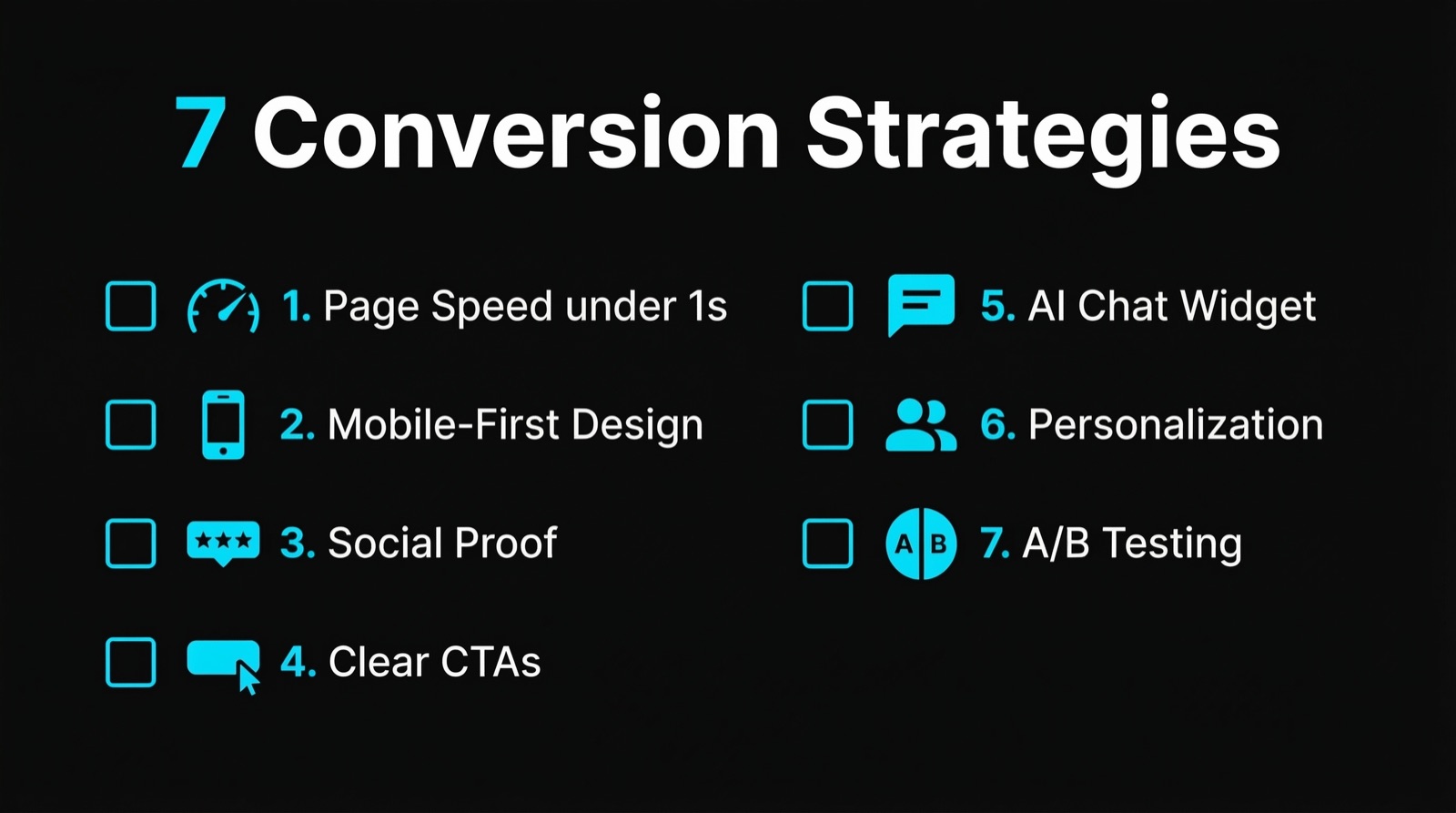
1. Page Speed Under 1 Second
Google's research shows that when page load time goes from 1 second to 3 seconds, bounce probability increases by 32%. At 5 seconds, it jumps to 90%. Every 100 milliseconds of delay costs Amazon roughly 1% in revenue.
This is not about vanity metrics. Slow pages kill conversions before a visitor even reads your headline.
What to do:
- Compress images to WebP format (30-50% smaller than JPEG at equal quality)
- Use a CDN for static assets
- Implement lazy loading for below-the-fold content
- Minimize third-party scripts (each analytics tool, chat widget, or tracking pixel adds latency)
- Target a Largest Contentful Paint (LCP) under 1.2 seconds
A well-built site loads in under 1 second on broadband and under 2 seconds on mobile 4G. Anything slower and you are paying for visitors who never see your offer.
2. Mobile-First Design
63% of Google searches happen on mobile devices. Yet many business websites are still designed on a 27-inch monitor and then "adapted" for phones. That approach produces pages where buttons are too small, forms are painful to fill out, and the call-to-action sits below three scrolls of text nobody reads.
Mobile-first means designing for the smallest screen first, then scaling up. Not the other way around.
Key principles:
- Touch targets of at least 48x48 pixels. Anything smaller causes mis-taps and frustration.
- Single-column layouts for content-heavy pages. Sidebars do not work on a 375-pixel-wide screen.
- Sticky CTAs that stay visible as the user scrolls. If they have to scroll back up to find the contact button, they won't.
- Form fields reduced to the minimum. Every additional field drops completion rates by roughly 4-5%.
Good web design starts with how 63% of your audience actually experiences your site. Not how it looks on your desktop.
3. Social Proof That Converts
92% of consumers read online reviews before making a purchase decision. But slapping a few star ratings on your homepage is not enough. The placement, specificity, and format of social proof matter.
What works:
- Specific numbers over vague praise. "Revenue increased by 34% in 3 months" beats "Great service!" every time.
- Client logos near CTAs. Seeing recognizable brands next to a "Get Started" button reduces perceived risk.
- Case studies with measurable outcomes. A detailed breakdown of results is worth more than 50 testimonials. Check out our results page for examples.
- Video testimonials. They convert 25% better than text-only testimonials because they feel harder to fake.
- Industry-specific proof. A manufacturing company cares about other manufacturers' results, not a yoga studio's success story.
Place social proof directly next to decision points: pricing pages, contact forms, and CTA buttons. That is where doubt lives, and that is where proof needs to be.
4. Clear, Specific CTAs
"Contact us" is not a call-to-action. It is a suggestion that most visitors ignore. High-converting CTAs tell visitors exactly what happens next and what they get.
The data:
- Personalized CTAs convert 202% better than generic ones (HubSpot).
- First-person phrasing ("Get my free audit") outperforms second-person ("Get your free audit") by 25%.
- CTAs with urgency or specificity ("Book your strategy call for this week") outperform vague alternatives by 30-40%.
CTA checklist:
- One primary CTA per page. Multiple competing CTAs reduce clicks on all of them.
- High contrast colors. The button should be the most visually prominent element in its section.
- Action-oriented text. "Start saving 20 hours/month" tells visitors what they gain. "Submit" tells them nothing.
- Place CTAs above the fold, after key benefit sections, and at the page bottom. Three placements, one message.
5. AI-Powered Chat and Lead Capture
Traditional contact forms convert at 1-3%. AI chatbots on the same pages convert at 5-15%. The reason is simple: a form asks visitors to do work. A chatbot does the work for them.
A well-configured AI chat widget qualifies leads in real-time, answers common questions instantly, and books appointments without human intervention. It works at 2 AM on a Sunday. It never forgets to follow up.
What a good setup looks like:
- The bot greets visitors after 15-30 seconds (not immediately, that feels aggressive)
- It asks qualifying questions: budget, timeline, company size
- It routes qualified leads to a calendar booking link
- It hands off complex questions to a human with full conversation context
- Response time: under 3 seconds per message
We build exactly this kind of system for our clients. AI-powered lead generation is not a gimmick. It is a measurable upgrade over static forms and generic chatbots.
Measured results from real deployments:
- 3x more qualified leads compared to contact forms alone
- 67% of conversations happen outside business hours
- Average lead response time drops from 4 hours to 8 seconds
6. Personalization Based on Behavior
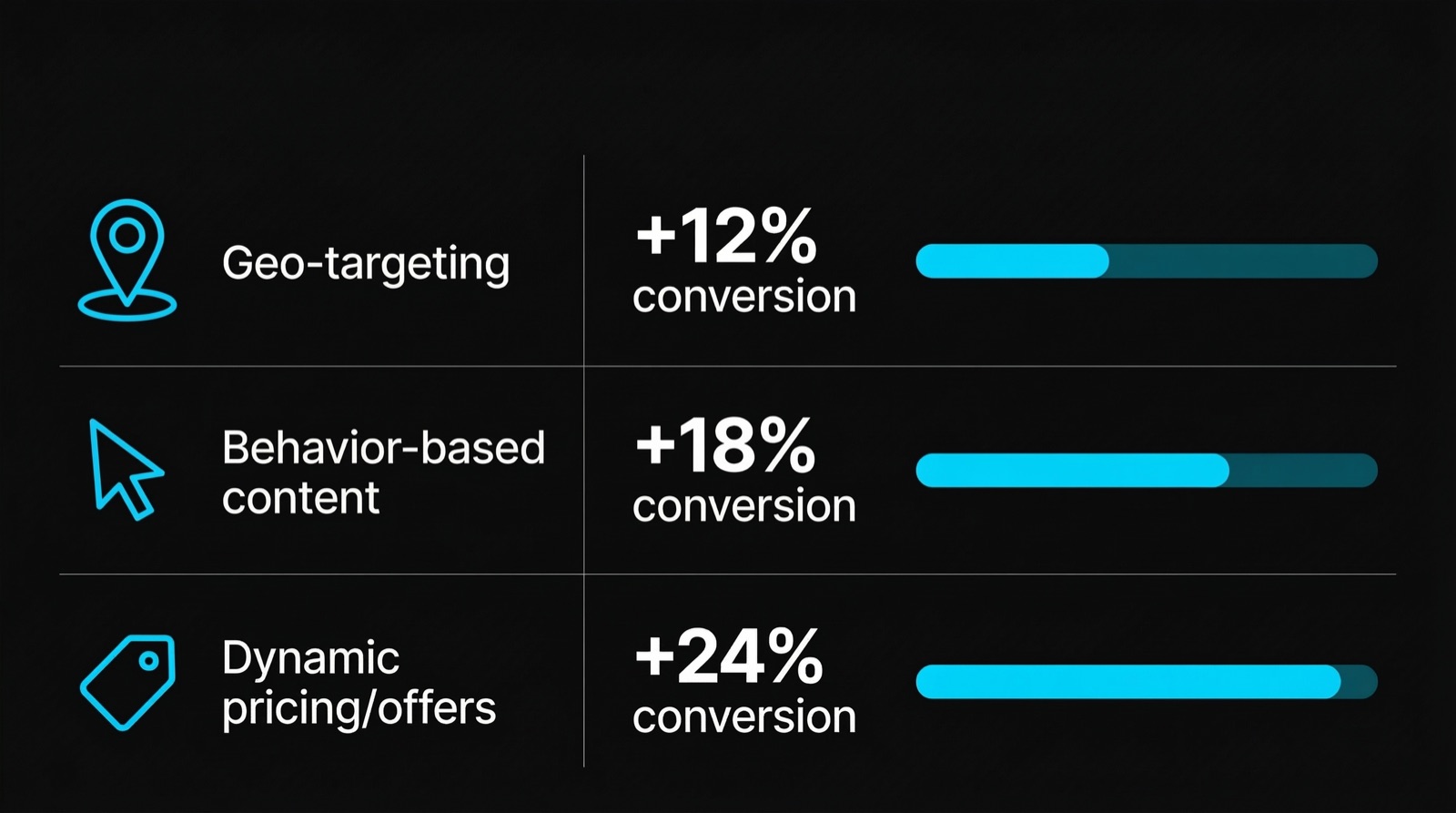
74% of customers feel frustrated when website content is not personalized (Salesforce). Personalization does not mean addressing someone by name. It means showing the right content to the right visitor at the right time.
Practical personalization tactics:
- Returning visitors see different headlines than first-time visitors. A returning visitor already knows who you are. Show them the next step, not the introduction.
- Geographic targeting. Show local phone numbers, case studies from nearby businesses, or region-specific offers.
- Referral source adaptation. A visitor from a LinkedIn ad about "AI automation" should land on a page about AI automation, not your generic homepage.
- Behavioral triggers. If someone reads 3 blog posts about pricing, show them a CTA for your pricing page instead of a generic "learn more" button.
Personalization increases conversion rates by 10-30% depending on implementation depth. Even basic segmentation (new vs. returning, traffic source, location) delivers measurable lifts.
7. Systematic A/B Testing
Most businesses launch a website and never test it again. They guess what works. Guessing is expensive.
A/B testing means showing two versions of a page element to different visitors and measuring which one converts better. It removes opinions from the equation and replaces them with data.
What to test first (highest impact):
- Headlines. They are the first thing visitors read. A better headline can lift conversions by 20-50%.
- CTA text and color. Small changes, big impact. Test "Get started" vs. "Book a free call" vs. "See pricing."
- Page layout. Long-form vs. short-form. Video hero vs. text hero. Social proof above the fold vs. below.
- Form length. 3 fields vs. 5 fields vs. 7 fields. Less is almost always more, but test it.
- Pricing presentation. Monthly vs. annual toggle, showing savings percentages, anchoring with a higher tier first.
Rules for valid tests:
- Minimum 1,000 visitors per variation before drawing conclusions
- Run tests for at least 2 full business weeks to account for day-of-week effects
- Test one variable at a time. If you change the headline and the button color simultaneously, you won't know which change drove the result
- Statistical significance of 95% or higher before declaring a winner
Companies that test consistently improve conversion rates by 2-3% per quarter. Over a year, that compounds into a 8-12% total lift.
Implementation Checklist
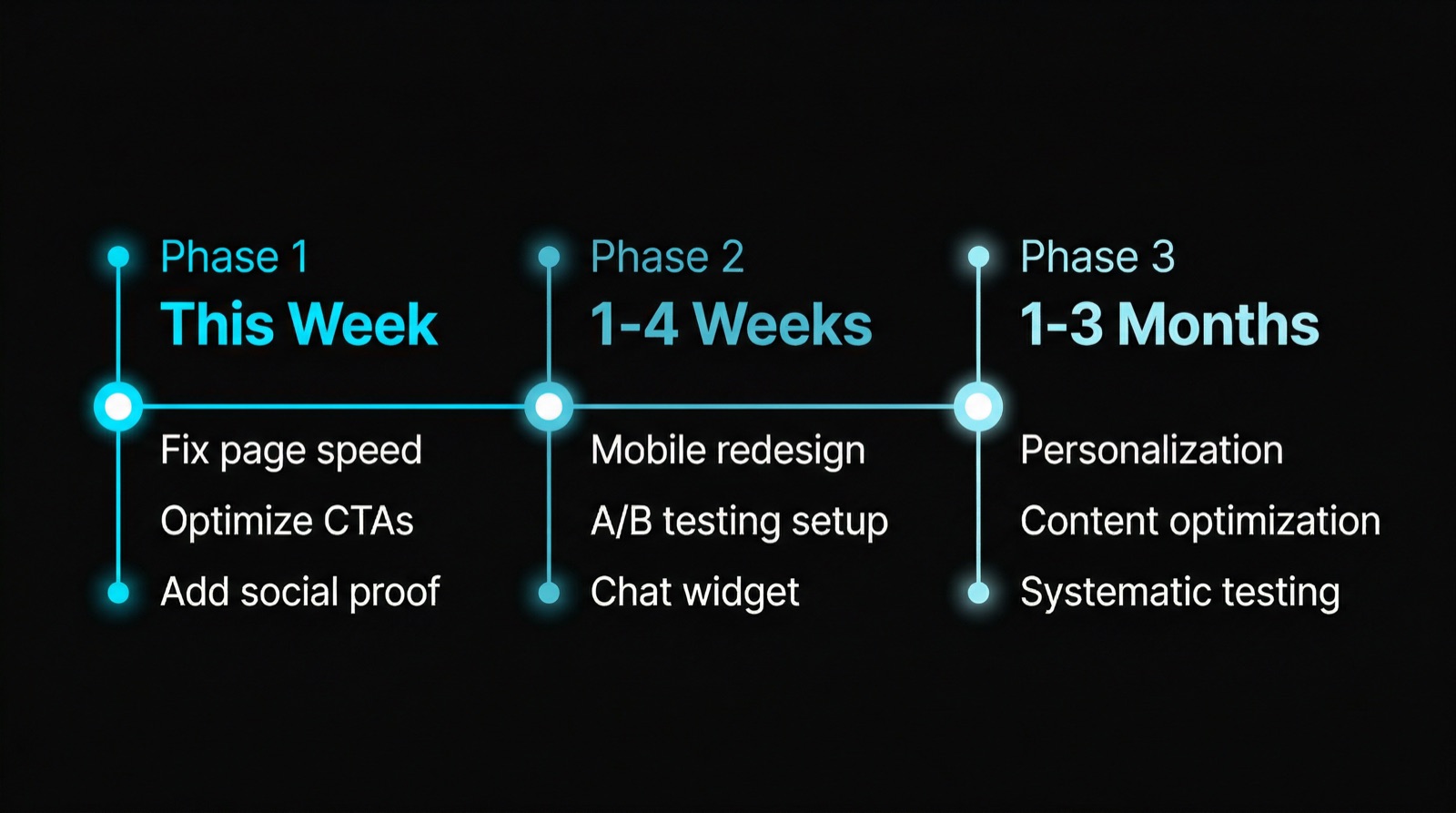
Use this as a priority list. Start with items that require the least effort and deliver the most impact.
| Priority | Strategy | Effort | Expected Impact |
|---|---|---|---|
| 1 | Page speed optimization | Medium | 15-30% bounce rate reduction |
| 2 | CTA improvements | Low | 20-40% more clicks |
| 3 | Mobile-first redesign | High | 25-50% mobile conversion lift |
| 4 | AI chat/lead capture | Medium | 3x more qualified leads |
| 5 | Social proof placement | Low | 10-20% trust increase |
| 6 | A/B testing program | Medium | 8-12% annual lift |
| 7 | Personalization | High | 10-30% conversion increase |
Key Takeaway
Traffic is a vanity metric. Conversion is the metric that pays your bills. A website that loads in under 1 second, speaks to mobile users first, shows proof instead of promises, and captures leads with intelligent automation will outperform a site with 5x the traffic and none of these optimizations.
You do not need all 7 strategies at once. Start with page speed and CTA clarity. Add AI chat. Then layer in testing and personalization. Each step compounds on the last.
If you want a website that is built for conversion from day one, take a look at what we deliver at Webkomodo. We build sites that sell, not just sites that look good.
FAQ
How long does it take to see results from conversion optimization?
Most quick wins (page speed, CTA changes, social proof placement) show measurable results within 2-4 weeks. More involved changes like mobile-first redesigns or AI chat implementation take 4-8 weeks to deploy and another 2-4 weeks to gather statistically significant data. Expect meaningful, validated improvements within 60-90 days of starting.
What is a good conversion rate for a B2B website?
The average B2B website converts at 2.23%. Top-performing B2B sites hit 5-10%. If your site is below 2%, there are likely easy fixes available. If you are between 2-5%, systematic testing and personalization will push you higher. Anything above 5% means your fundamentals are strong and marginal gains come from fine-tuning.
Do I need to redesign my entire website to improve conversions?
No. In most cases, targeted changes deliver better results than a full redesign. Improving page speed, rewriting CTAs, and adding social proof near decision points can lift conversion rates by 20-40% without touching the overall design. A full redesign makes sense when the site has fundamental structural problems like poor mobile experience, outdated technology, or navigation that confuses visitors.
Founder, Webkomodo
Ready for your project?
Let's find out how we can grow your business digitally in a free consultation.
Free consultation