A Receptionist Costs You More Than You Think
The average receptionist in a mid-sized business earns between 28,000 and 42,000 per year. Add employer taxes, benefits, sick days, training, and turnover, and the real cost is closer to 45,000 to 65,000. That is for one person covering 8 hours a day, 5 days a week.
An AI phone and chat system runs 24 hours a day, 365 days a year, for 200 to 800 per month. No sick days. No training period. No notice period when it quits.
This is not a futuristic scenario. Businesses are making this switch right now. The question is not whether AI will replace front desk roles. It is whether your competitors will do it before you do.
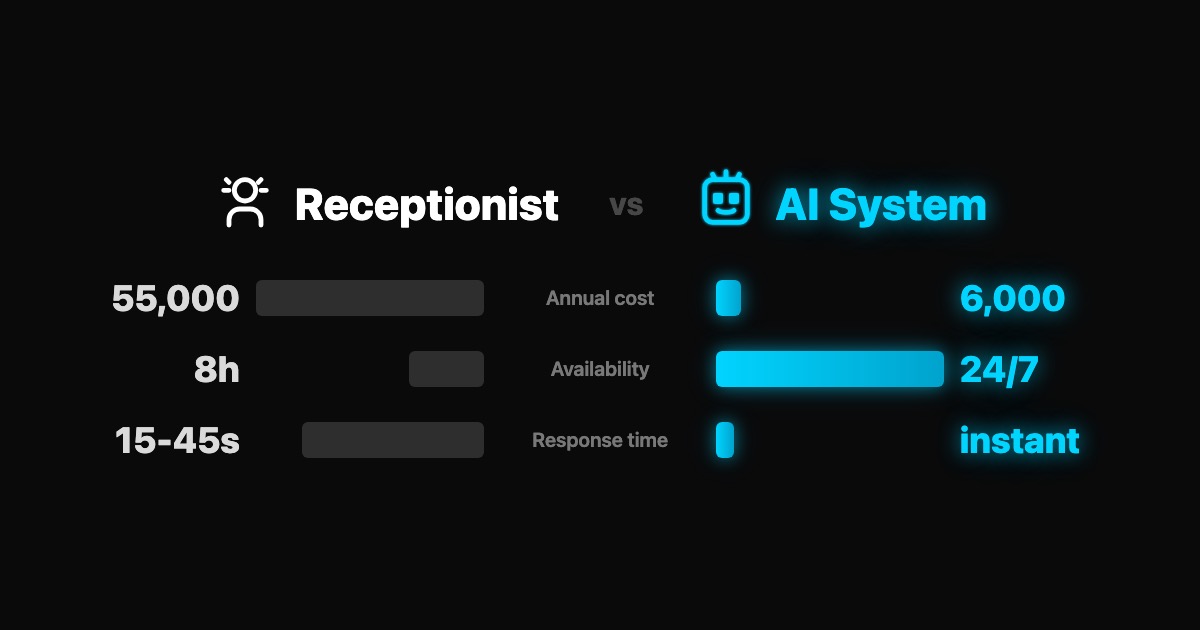
The Numbers: Side by Side
| Category | Human Receptionist | AI System |
|---|---|---|
| Annual Cost | 45,000 - 65,000 | 2,400 - 9,600 |
| Availability | 8 hours/day, weekdays | 24/7/365 |
| Languages | 1-2 (maybe 3) | 20+ simultaneously |
| Response Time | 15-45 seconds (if not busy) | Under 2 seconds |
| Simultaneous Conversations | 1 (maybe 2) | Unlimited |
| Sick Days | 8-12 per year | 0 |
| Training Time | 2-4 weeks | Hours |
| Consistency | Varies by mood, day, workload | Identical every time |
| After-Hours Coverage | Voicemail (80% never call back) | Full service |
The cost difference alone is significant. But the real impact is in the rows below cost: availability, speed, and consistency.
What AI Systems Actually Do (Today, Not in 5 Years)
This is not about a basic chatbot that says "please hold" in different ways. Modern AI systems handle real tasks:
1. Answer Calls and Route Them Intelligently
AI voice systems pick up every call within 2 rings. They understand natural speech, not just button presses. A patient calling a dental clinic can say "I chipped my tooth and it hurts" and the system will identify it as urgent, check the calendar for the next available emergency slot, and either book it or transfer to the dentist directly.
2. Book, Reschedule, and Cancel Appointments
The system connects to your calendar. Clients book, move, or cancel appointments through a conversation, not a form. No double bookings. No phone tag. No "let me check and call you back."
3. Answer FAQs with Your Specific Information
Pricing, opening hours, directions, insurance acceptance, service details. The AI knows your business because you feed it your data. It does not make things up or give generic answers. If it does not know something, it says so and offers to connect the caller with a human.
4. Qualify Leads Before They Reach Your Team
Instead of your sales team spending 30 minutes on a call only to discover the prospect has no budget, the AI asks qualifying questions upfront. Budget range, timeline, specific needs. Your team only talks to people who are ready to buy.
5. Send Follow-Up Messages Automatically
After a call or chat, the AI sends a confirmation text or email with the appointment details, directions, or requested information. No manual follow-up needed. No "I forgot to send them the link."
Where AI Systems Fall Short (Honest Assessment)
Not everything should be automated. Here is where a human receptionist still wins:
Complex Emotional Situations. A distressed patient, an angry customer who needs de-escalation, a sensitive complaint. AI can detect sentiment and escalate, but it cannot replace genuine human empathy in high-stakes moments.
Novel Problems. If a situation has never come up before and requires creative problem-solving, a human will handle it better. AI works from patterns. Truly unprecedented situations need judgment.
Relationship Building. Regular clients at a law firm or medical practice often value seeing the same familiar face at the front desk. That personal connection matters in industries where trust is everything.
Physical Tasks. Accepting deliveries, managing the waiting room, handling paperwork, offering coffee. If your receptionist does significant physical work, AI only replaces the communication part.
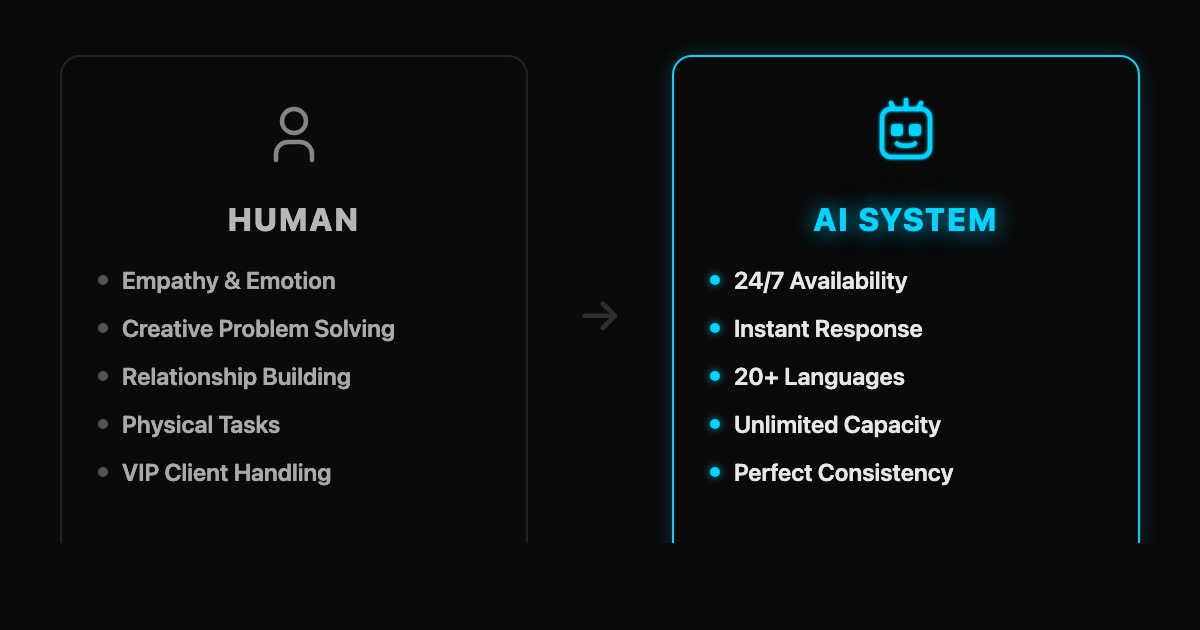
The Hybrid Model: Best of Both Worlds
The smartest businesses are not choosing one or the other. They use AI to handle volume and routine, and humans to handle complexity and relationships.
Here is what that looks like:
AI handles: All after-hours calls and chats. Initial greeting and routing during business hours. Appointment booking and rescheduling. FAQ responses. Lead qualification. Follow-up messages.
Humans handle: Complex consultations. Emotional or sensitive conversations. VIP client interactions. Physical front-desk tasks. Cases the AI escalates.
The result: your receptionist spends zero time on "What are your opening hours?" and 100% of their time on work that actually requires a human brain. They become more effective, not unemployed.
Cost Savings in Practice
A dental clinic with 2 full-time receptionists pays roughly 90,000 to 130,000 per year in total employment costs. By adding an AI system (6,000 per year) and reducing to 1 receptionist, they save 39,000 to 59,000 annually. The remaining receptionist focuses on in-person patient care, complex cases, and insurance coordination.
A law firm spending 55,000 per year on a receptionist switches to AI for after-hours and overflow. They keep the receptionist for client-facing work during business hours. Result: they capture 40% more leads from after-hours inquiries that previously went to voicemail. At an average case value of 3,000, just 4 additional clients per month from after-hours capture adds 144,000 in annual revenue.
The ROI is not theoretical. It is arithmetic.
5 Signs You Should Consider the Switch
-
You are missing calls. If more than 10% of incoming calls go to voicemail, you are losing business. Every missed call is a potential client calling your competitor instead.
-
Your receptionist is overwhelmed. When the front desk is constantly juggling calls, walk-ins, and admin tasks, quality drops for everyone. Something has to give.
-
You need after-hours coverage. If your business gets inquiries outside 9-to-5 (and almost every business does), voicemail is not a solution. 80% of callers who reach voicemail hang up and never call back.
-
You operate in multiple languages. Hiring multilingual receptionists is expensive and hard. AI switches languages mid-conversation without breaking a sweat.
-
Consistency matters. If your business depends on every caller getting the same professional experience regardless of when they call, AI delivers that. Humans have bad days. AI does not.
Implementation: What It Actually Takes
Setting up an AI system is not a 6-month IT project. For most businesses:
Week 1: System configuration. Upload your FAQs, services, pricing, and booking rules. Connect your calendar and phone system.
Week 2: Testing. Run the AI alongside your current setup. Listen to how it handles calls. Adjust responses and routing.
Week 3: Soft launch. Route after-hours calls to AI first. Monitor quality and customer feedback.
Week 4: Full deployment. AI handles all initial contact. Human team focuses on complex tasks and escalations.
Total setup time: 2-4 weeks. Total disruption to your business: minimal.
Key Takeaway
AI systems are not replacing receptionists entirely. They are replacing the parts of the job that do not require a human: answering the phone, booking appointments, responding to the same 20 questions, and being available at 2 AM.
The businesses that win are not the ones asking "should we use AI or humans?" They are the ones asking "which tasks should AI handle and which tasks need a human?" The answer is almost always both, with AI doing the heavy lifting on volume and availability, and humans doing what they do best: connecting, empathizing, and solving problems that have never been solved before.
The cost difference is 80-90% lower with AI. The availability is 3x higher. The real question is how much longer you can afford not to have it.
FAQ
Will AI completely replace receptionists?
Not in most cases. The most effective setup is a hybrid model where AI handles routine tasks (calls, bookings, FAQs, after-hours coverage) and a human receptionist focuses on complex interactions, VIP clients, and physical front-desk duties. Some small businesses with low foot traffic may go fully AI, but most mid-sized businesses benefit from keeping at least one human for the tasks that require empathy and judgment.
How do customers feel about talking to AI?
Better than most business owners expect. Studies show 62% of consumers prefer interacting with an AI assistant over waiting on hold for a human. The key factor is not whether the system is AI or human, it is whether it solves their problem quickly. If the AI books their appointment in 30 seconds instead of putting them on hold for 4 minutes, they prefer the AI. Transparency matters though: always let callers know they are speaking with an AI and give them the option to reach a human.
What happens when the AI cannot handle a request?
A well-configured AI system recognizes its limits. When it encounters a question it cannot answer confidently or detects frustration in the caller's voice, it escalates to a human team member with full context: who is calling, what they asked, and what the AI already covered. The caller does not have to repeat themselves. This is fundamentally different from being transferred to a generic voicemail box.
Founder, Webkomodo
Ready for your project?
Let's find out how we can grow your business digitally in a free consultation.
Free consultation