Why This Matters Now
Small and mid-sized businesses have a window. The tools that were only available to enterprises with six-figure budgets two years ago now cost a fraction and take weeks instead of months to deploy. That window will close as competitors adopt the same tools and the advantage disappears.
This is not about hype. It is about specific, measurable improvements to how your business captures leads, handles customers, and operates day-to-day. The five use cases below are live in real businesses right now, producing quantifiable results.
Here is what each one does, what it costs, how long it takes to set up, and what you can expect.
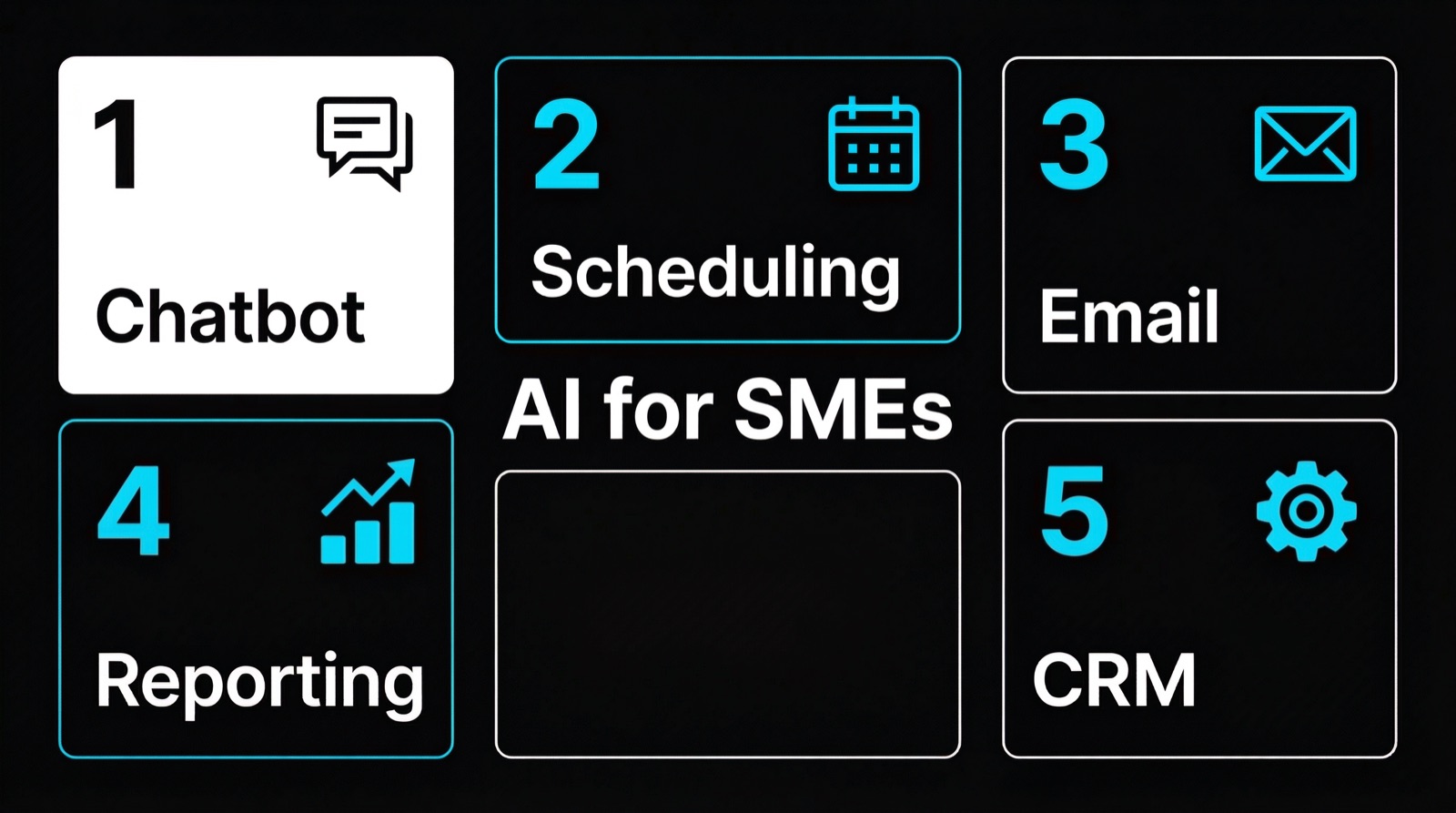
Use Case 1: AI Chatbot for Lead Capture
What it does
An AI chatbot sits on your website and engages visitors in natural conversation. Unlike old-school chatbots with rigid decision trees, modern AI chatbots understand context, answer product questions accurately, and qualify leads by asking the right follow-up questions. When a visitor is ready, the bot collects contact details or books an appointment directly.
Implementation
- Setup time: 2-4 weeks
- Cost range: 3,000 - 10,000 one-time setup, 200-500/month for hosting and AI API costs
- Technical requirements: Website with ability to embed a chat widget, CRM integration for lead routing
Measured results
- Lead volume increase: 150-300% compared to contact forms alone
- Response time: Under 5 seconds vs. average 4+ hours for human email responses
- After-hours capture: 60-70% of chat conversations happen outside business hours
- Lead qualification accuracy: 85-90% when properly trained on your sales criteria
The key differentiator is quality. A well-trained AI chatbot does not just collect email addresses. It qualifies visitors based on budget, timeline, and fit before passing them to your sales team. Your team talks only to prospects who are worth their time.
We build these systems at Webkomodo. Our AI lead generation service handles the full setup: training the bot on your products, integrating with your CRM, and optimizing based on real conversation data.
Use Case 2: Automated Appointment Booking
What it does
Instead of the back-and-forth of "When are you free? How about Tuesday? Actually, Wednesday works better," an AI booking system handles the entire scheduling process. It checks your team's availability in real-time, offers slots that match the client's preferences, sends confirmations, and follows up with reminders. No human touches the process unless the appointment itself requires one.
Implementation
- Setup time: 1-2 weeks
- Cost range: 1,500 - 5,000 one-time setup, 100-300/month for ongoing costs
- Technical requirements: Calendar system access (Google Calendar, Outlook), CRM or client database
Measured results
- No-show reduction: 35-45% fewer no-shows with automated reminders (SMS + email)
- Booking completion rate: 78% of visitors who start the booking flow complete it (vs. 23% who fill out a "request a callback" form)
- Admin time saved: 8-12 hours per week for a team of 5 handling 40+ appointments/week
- Revenue impact: Businesses report 15-25% more booked appointments in the first month
This works especially well for professional services: consultancies, agencies, clinics, law firms, and financial advisors. Any business where the first step is a meeting.
Use Case 3: AI-Powered Customer Support
What it does
An AI support system handles Tier 1 customer inquiries: order status, return policies, product specifications, troubleshooting steps, account questions. It pulls answers from your knowledge base, product documentation, and FAQ content. When it encounters a question it cannot answer confidently, it escalates to a human agent with full context attached.
Implementation
- Setup time: 3-6 weeks (depends on knowledge base size)
- Cost range: 5,000 - 20,000 one-time setup, 300-800/month for operations
- Technical requirements: Existing documentation or FAQ content, ticketing system integration (Zendesk, Freshdesk, or similar)
Measured results
- Ticket deflection rate: 40-65% of incoming tickets resolved without human intervention
- First response time: Under 10 seconds vs. industry average of 12 hours for email support
- Customer satisfaction: CSAT scores remain at 4.2-4.5/5 for AI-handled tickets (comparable to human agents)
- Cost per resolution: 0.50-2.00 per AI-resolved ticket vs. 15-25 per human-resolved ticket
The cost savings are significant. A company handling 500 support tickets per month can save 3,000-8,000 monthly by automating 50% of them. Over a year, that is 36,000-96,000 in reduced support costs.
Important caveat: This only works if you have good documentation. The AI is only as accurate as the information you feed it. Garbage in, garbage out. Budget 1-2 weeks for documentation cleanup before deployment.
Use Case 4: Automated Reporting and Analytics
What it does
Instead of someone spending Friday afternoon pulling numbers from 4 different tools and pasting them into a spreadsheet, an AI reporting system aggregates data from your CRM, ad platforms, website analytics, and financial software. It generates weekly or monthly reports automatically, highlights anomalies, and flags trends that need attention.
Implementation
- Setup time: 2-4 weeks
- Cost range: 3,000 - 12,000 one-time setup, 150-400/month for maintenance and API costs
- Technical requirements: API access to your data sources (CRM, Google Analytics, ad platforms, accounting software)
Measured results
- Time saved: 15-25 hours per month on report creation and data consolidation
- Error reduction: Manual data entry errors drop to near zero
- Insight speed: Anomalies detected within hours instead of discovered at the monthly review meeting
- Decision quality: Teams with automated dashboards make data-backed decisions 3x faster (McKinsey, 2024)
The real value is not the time saved on creating reports. It is the time gained for acting on them. When your sales manager gets a notification that lead quality from a specific channel dropped 30% this week, they can fix it now instead of finding out 3 weeks later in a monthly review.
Use Case 5: Smart CRM Workflows
What it does
A smart CRM workflow uses AI to automate lead scoring, follow-up sequences, and pipeline management. Instead of salespeople manually deciding which leads to call first, the system scores every lead based on behavior (pages visited, emails opened, form data) and company data (size, industry, revenue). High-scoring leads get priority. Low-scoring leads enter nurture sequences automatically.
Implementation
- Setup time: 3-5 weeks
- Cost range: 4,000 - 15,000 one-time setup, 200-600/month for operations
- Technical requirements: CRM system with API access, email marketing platform, website tracking
Measured results
- Sales productivity increase: 20-35% more deals closed per rep with AI-scored pipeline prioritization
- Follow-up speed: Automated sequences ensure every lead receives a response within 5 minutes
- Lead-to-customer conversion: 15-25% improvement when combining AI scoring with automated nurture
- Pipeline visibility: 100% of leads tracked and categorized vs. the typical 60-70% when managed manually
This is where the compounding effect kicks in. Combine AI lead capture (Use Case 1) with smart CRM workflows (Use Case 5), and you have a system that generates leads, qualifies them, scores them, nurtures the ones who aren't ready, and routes the hot ones to your sales team. Fully automated. Check our pricing page to see what a system like this costs at Webkomodo.
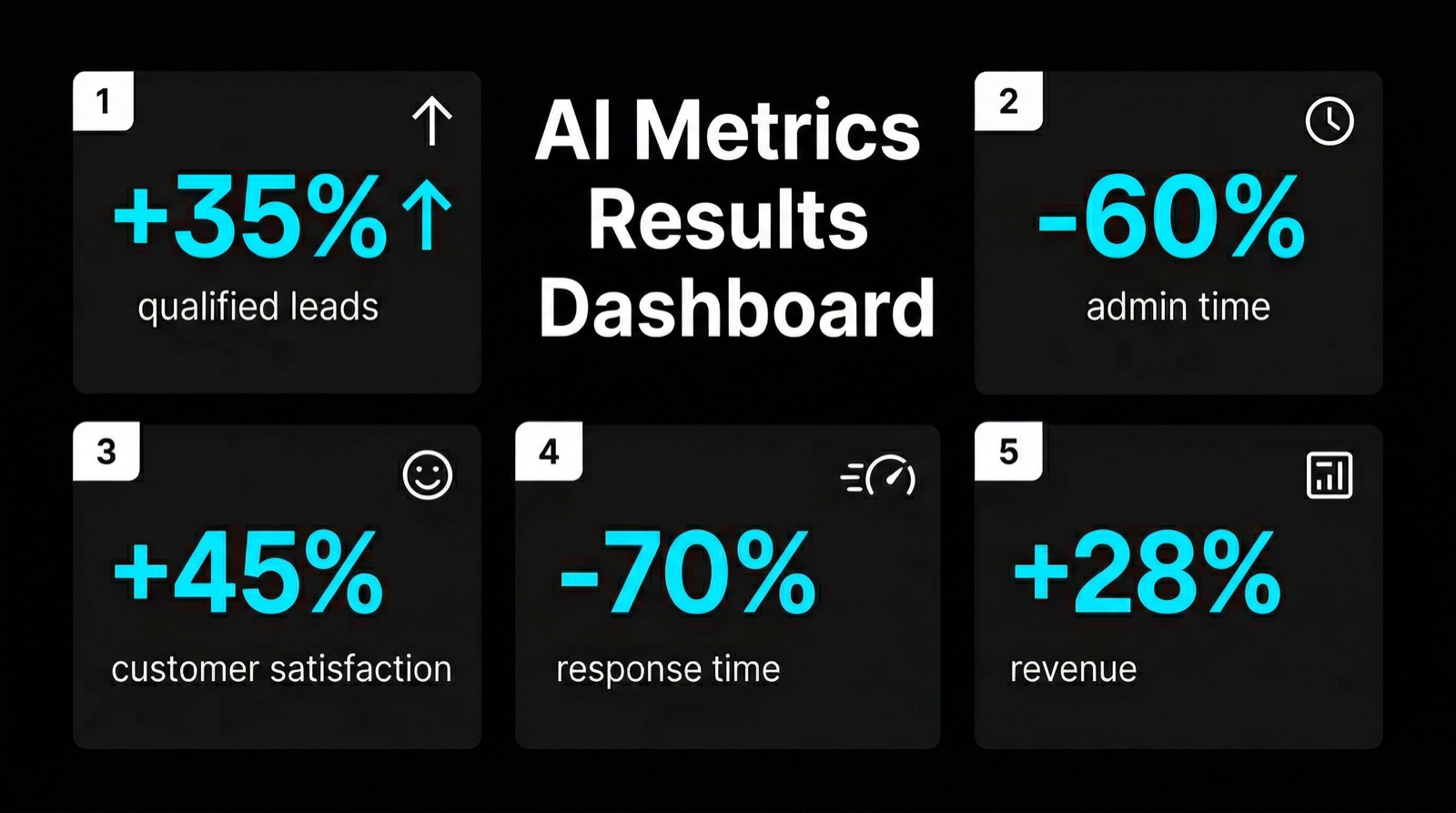
Getting Started: 3 Steps
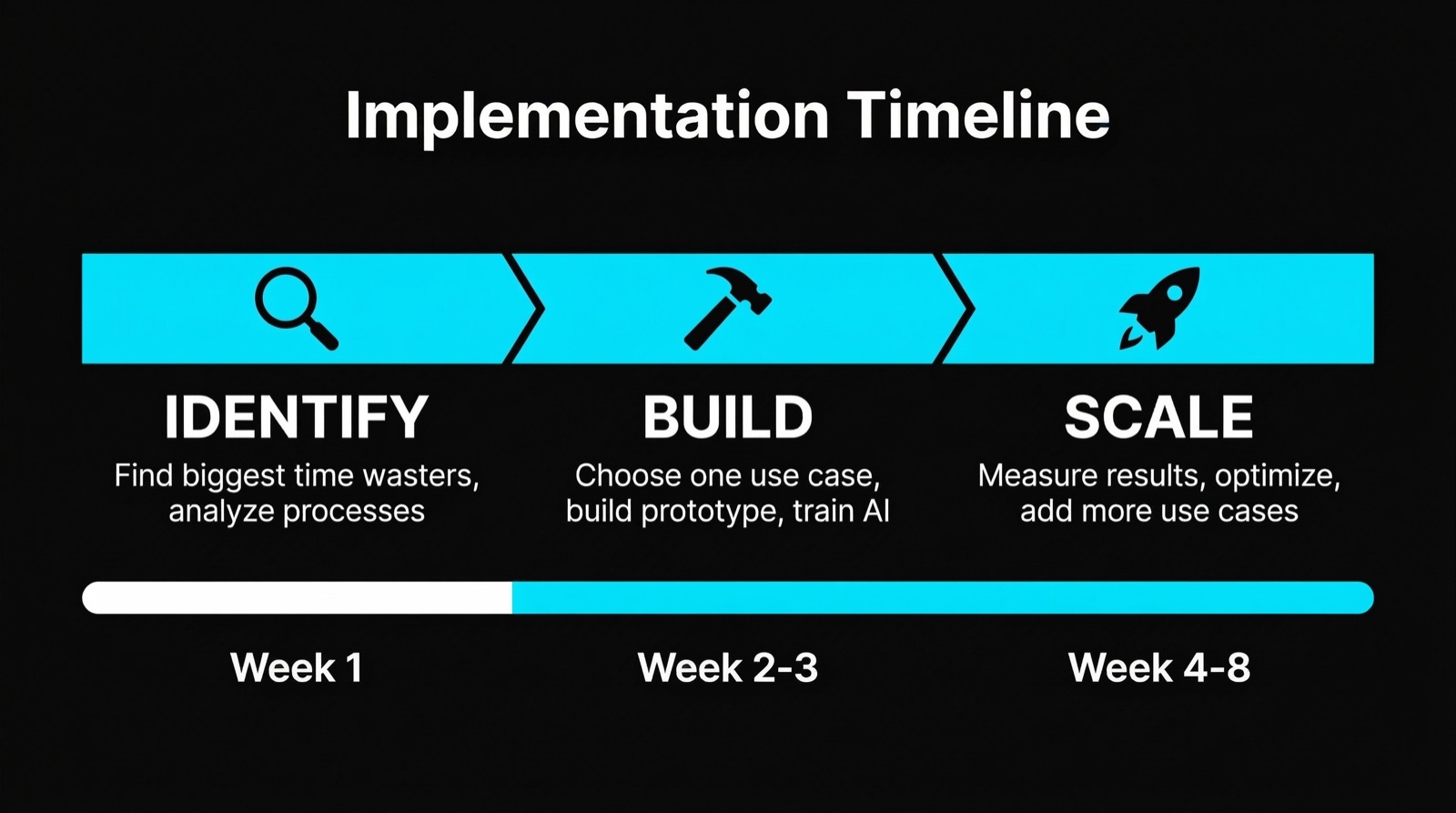
Step 1: Pick One Use Case
Do not try to implement all five at once. Pick the one that solves your biggest bottleneck. For most SMEs, that is lead capture (Use Case 1) or appointment booking (Use Case 2). They have the shortest setup time and the most immediate ROI.
Step 2: Run a 30-Day Pilot
Deploy the solution with minimal scope. One product line. One team. One customer segment. Measure the results against a clear baseline: leads per week, response time, tickets handled, hours saved. If the numbers work, expand. If they don't, adjust before scaling.
Step 3: Integrate and Expand
Once the pilot proves value, connect it to your other systems. The lead capture bot feeds into the CRM. The CRM triggers automated follow-ups. The reporting system tracks everything. Each layer builds on the previous one.
Our AI automation service follows this exact progression. We start small, prove the ROI, then expand based on data.
Common Mistakes
Starting too big. A company that tries to automate support, sales, and reporting simultaneously usually ends up with three half-finished systems instead of one that works.
Skipping the data cleanup. AI needs clean, structured data. If your CRM has 10,000 contacts and 40% of them have missing fields or wrong information, the AI will produce bad results. Spend the time cleaning your data before plugging in automation.
Not measuring before and after. If you don't know your current response time, lead conversion rate, or support costs, you can't prove that the AI improved anything. Establish baselines before you start.
Treating AI as a replacement instead of an amplifier. The goal is not to fire your support team. It is to let them handle the complex, high-value interactions while AI handles the repetitive ones. Companies that position AI as "we're replacing you" lose good employees. Companies that position it as "we're removing the boring work" retain and motivate their teams.
Choosing tools before defining the problem. "We need AI" is not a strategy. "We need to reduce our average lead response time from 6 hours to under 5 minutes" is a strategy. Start with the problem, then find the tool.
Key Takeaway
AI for SMEs is not about implementing cutting-edge technology for its own sake. It is about solving specific, measurable problems: capturing more leads, responding faster, spending less on support, and making better decisions with better data.
The five use cases in this article are not hypothetical. They are running in businesses right now, with documented results. The cost ranges are real. The timelines are real. And the results are auditable.
Start with one. Measure it. Expand when the numbers justify it. That is how SMEs win with AI: not with a big transformation project, but with a focused, results-first approach.
FAQ
How much does AI implementation cost for a small business?
Entry-level AI implementations start at 1,500-3,000 for simple use cases like automated appointment booking. A full AI chatbot for lead capture runs 3,000-10,000 for setup plus 200-500 per month. More complex systems like AI-powered customer support or smart CRM workflows range from 5,000-20,000 for initial deployment. The total depends on scope, integrations required, and data readiness. Most SMEs start with a 3,000-8,000 pilot project and expand from there.
Do I need technical staff to maintain AI systems?
Not necessarily. Well-built AI systems require minimal technical maintenance after deployment. The AI model updates, server management, and monitoring can be handled by your implementation partner. What you do need is someone on your team who understands the business logic: a person who can review the chatbot's answers, update product information, and flag when the system's responses need adjustment. That is a business role, not a technical one. Budget 2-4 hours per week for oversight during the first three months, dropping to 1-2 hours per week once the system stabilizes.
What is the typical ROI timeline for AI projects in SMEs?
Most AI projects for SMEs reach positive ROI within 2-4 months. Lead capture chatbots often pay for themselves within 30-60 days because the revenue from additional qualified leads directly offsets the implementation cost. Automated appointment booking shows ROI within 6-8 weeks through reduced no-shows and increased bookings. Customer support automation takes longer, typically 3-5 months, because it requires more setup time and the savings accumulate gradually. The fastest path to ROI is starting with lead generation: it has the shortest setup time and the most direct connection to revenue.
Founder, Webkomodo
Ready for your project?
Let's find out how we can grow your business digitally in a free consultation.
Free consultation